A digital credit ledger for shops and traders

Your credit notebook, now on your phone

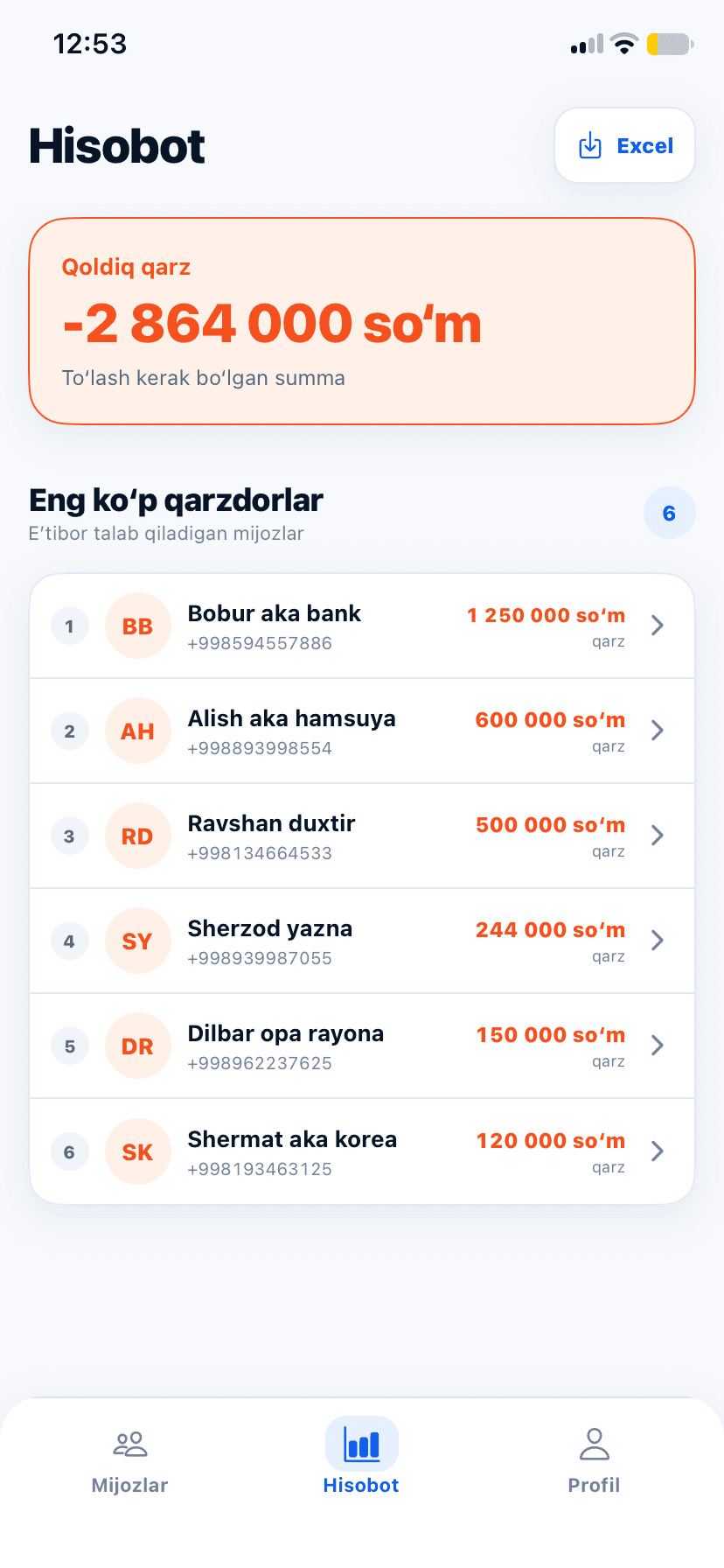
Who owes how much, who paid and when, and how much of your money is with customers — all on one screen. The app does the maths for you.

  • Free to start
  • In Uzbek and Russian
  • Android, iPhone and web
Customer list in the Qarz Daftar app

Built for: Grocery stores, Mini-markets, Market traders, Wholesalers, Building materials, Auto parts, Clothing stores, Repair shops.

Why Qarz Daftar

Paper notebooks get lost. Your debts shouldn’t.

The paper notebook worked for years. But the more customers you have, the harder it is to find who owes what — and to add it all up without mistakes.

Before

Paper notebook

September

Botir aka450,000

Dilbar opa (?)150,000

Ravshan duxtir5?0,000

Total = ???

  • You flip through pages to find a customer
  • Adding up by hand leads to mistakes
  • Lose the notebook and you lose the debts
  • You have to call debtors yourself to remind them
Now

Qarz Daftar

BBBobur aka bank−1,250,000 UZS
RDRavshan duxtir−500,000 UZS
DRDilbar opa rayona−150,000 UZS
Outstanding−1,900,000 UZS
  • Find any customer by name or number in a second
  • The app calculates the balance
  • Your data is kept in your account
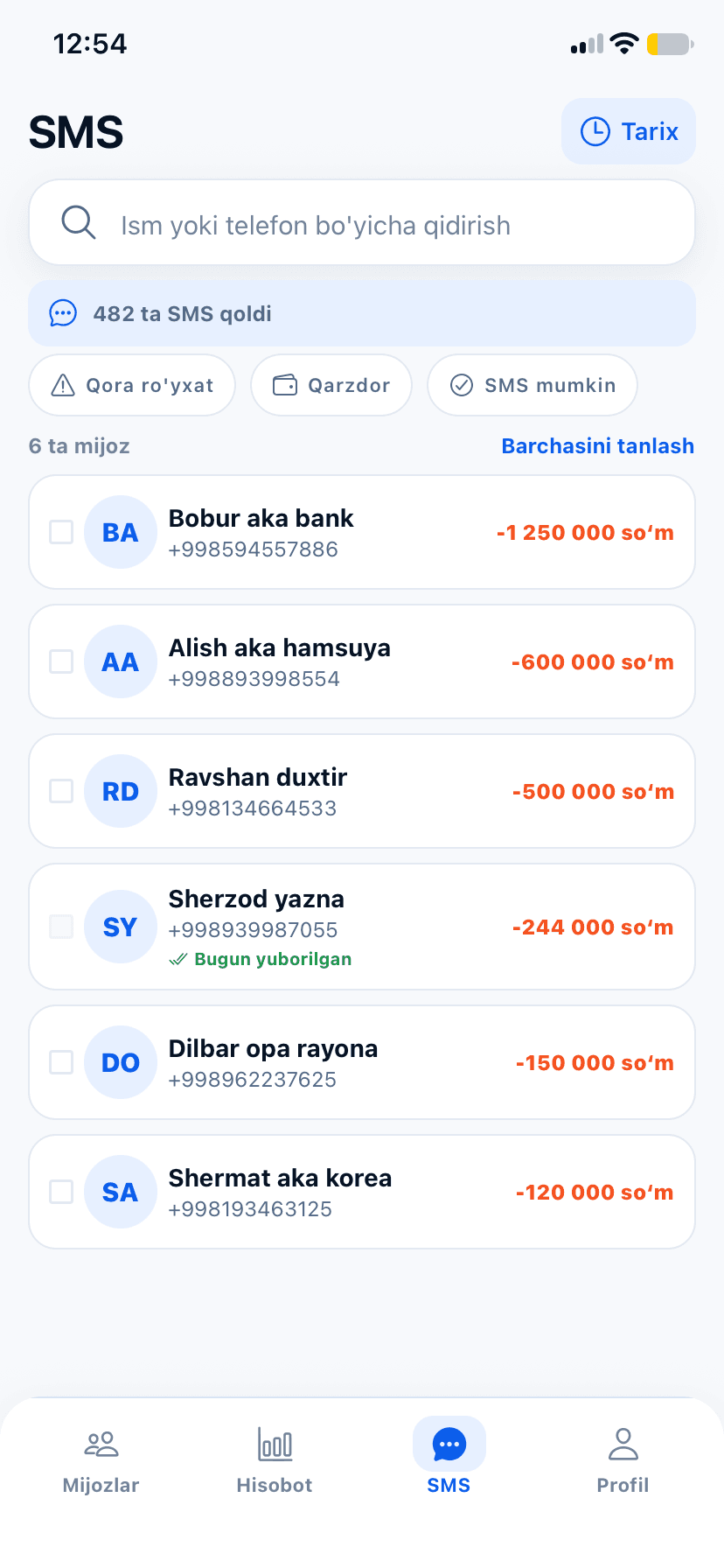
  • Send debtors an SMS in one tap

Inside the app

Everything your notebook did — on six screens

These are real screens from the app. Pick a section to see how it works.

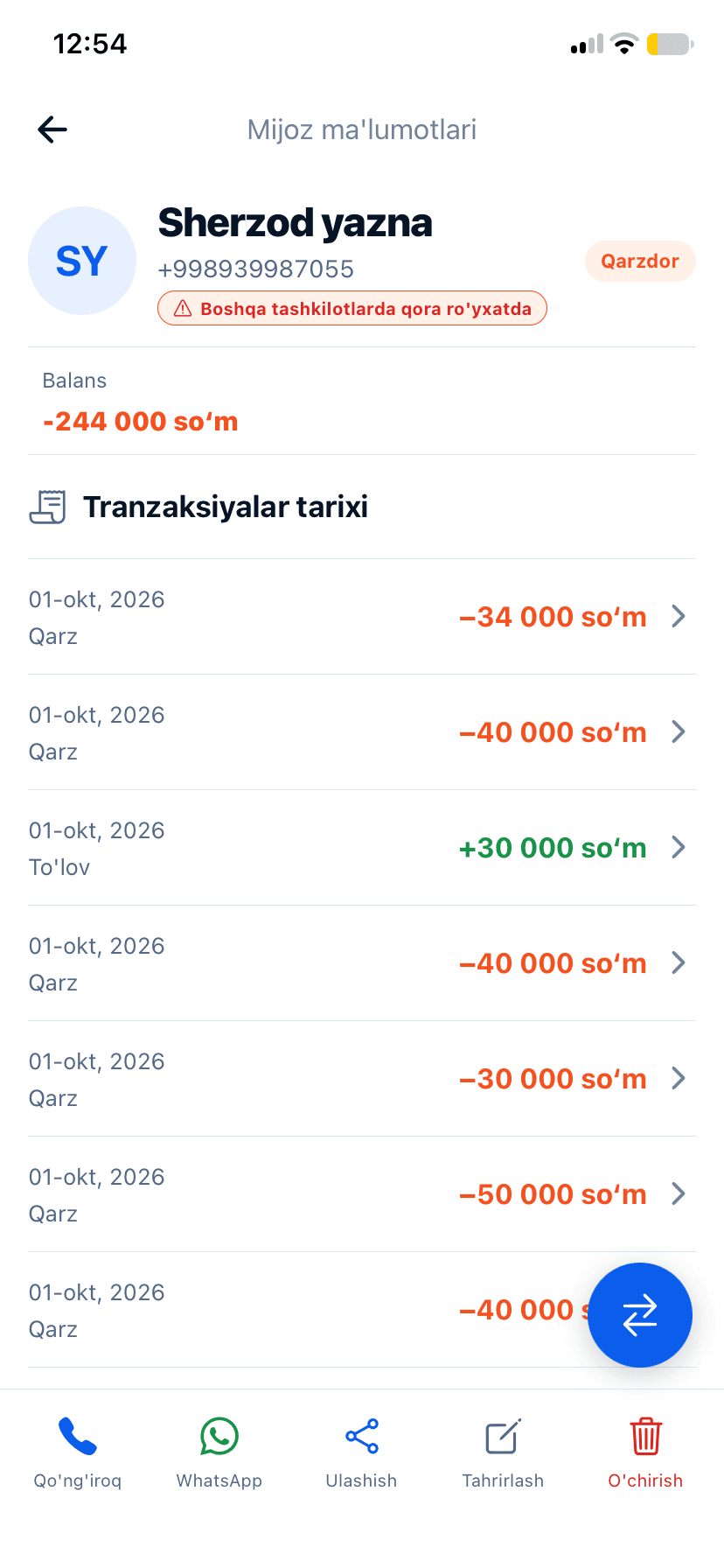
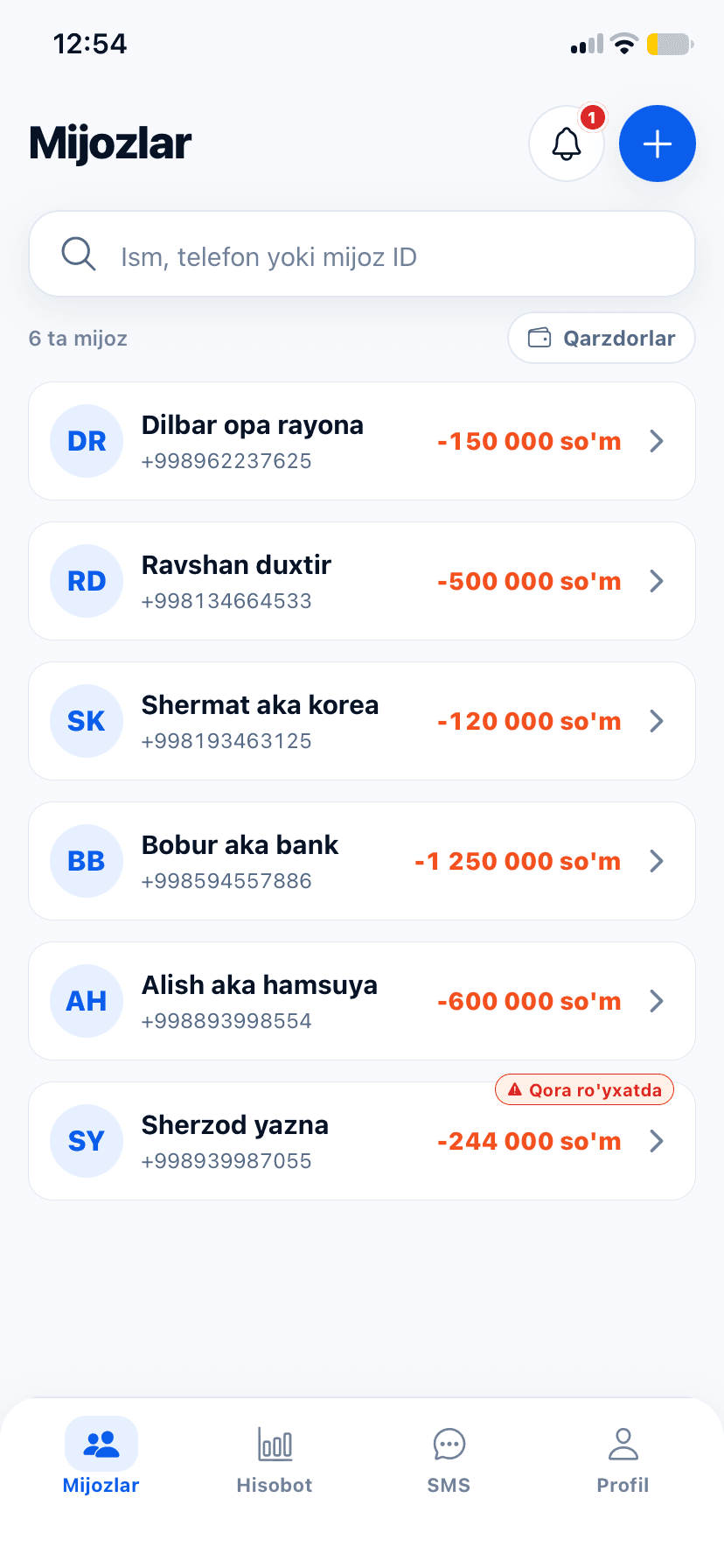
Your customer list on one screen

See who owes what right in the list. Find anyone instantly by name, phone or customer ID.

  • Add customers from your phone contacts in one tap
  • A filter that shows only debtors
  • Bring over old debts with an opening balance and date
Customer list with balances in the Qarz Daftar app

And there’s more

Everything else you need to sell on credit

  • Blacklist

    Late payers are flagged automatically. You’ll also see when a customer is blacklisted by other shops.

  • Automatic SMS

    Customers get a message after every debt or payment, so there are fewer disputes.

  • Telegram bot

    Keep track of debts in Telegram without opening the app.

  • Add from contacts

    No retyping names and numbers — pick customers from your phone contacts.

  • Move old debts over

    Enter debts from your paper notebook with an opening balance and date.

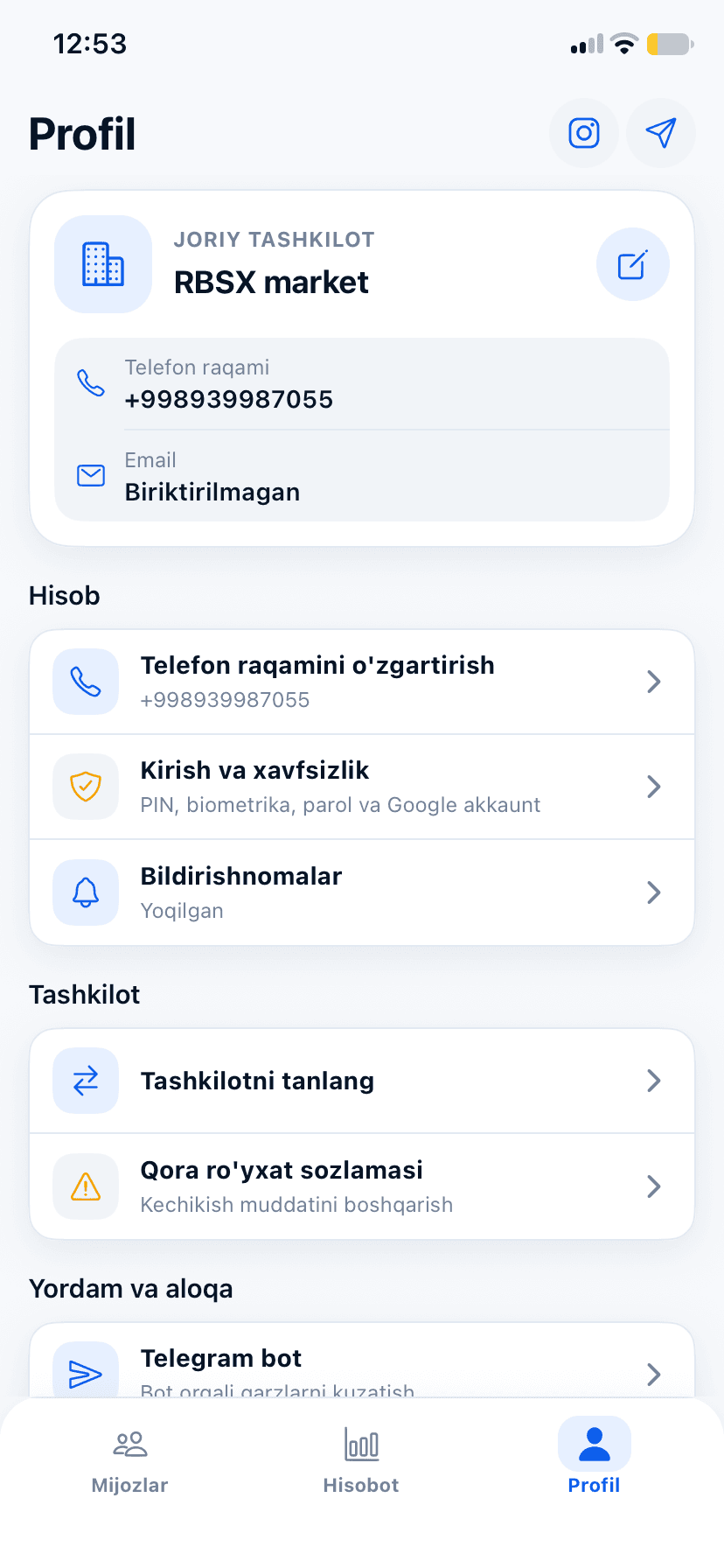
  • Multiple shops

    Keep separate books for each shop from one account.

  • Excel reports

    Download your customer report as an Excel file.

  • Uzbek and Russian

    Switch the app’s language at any time.

qarzdaftarclient.rbsx.uz
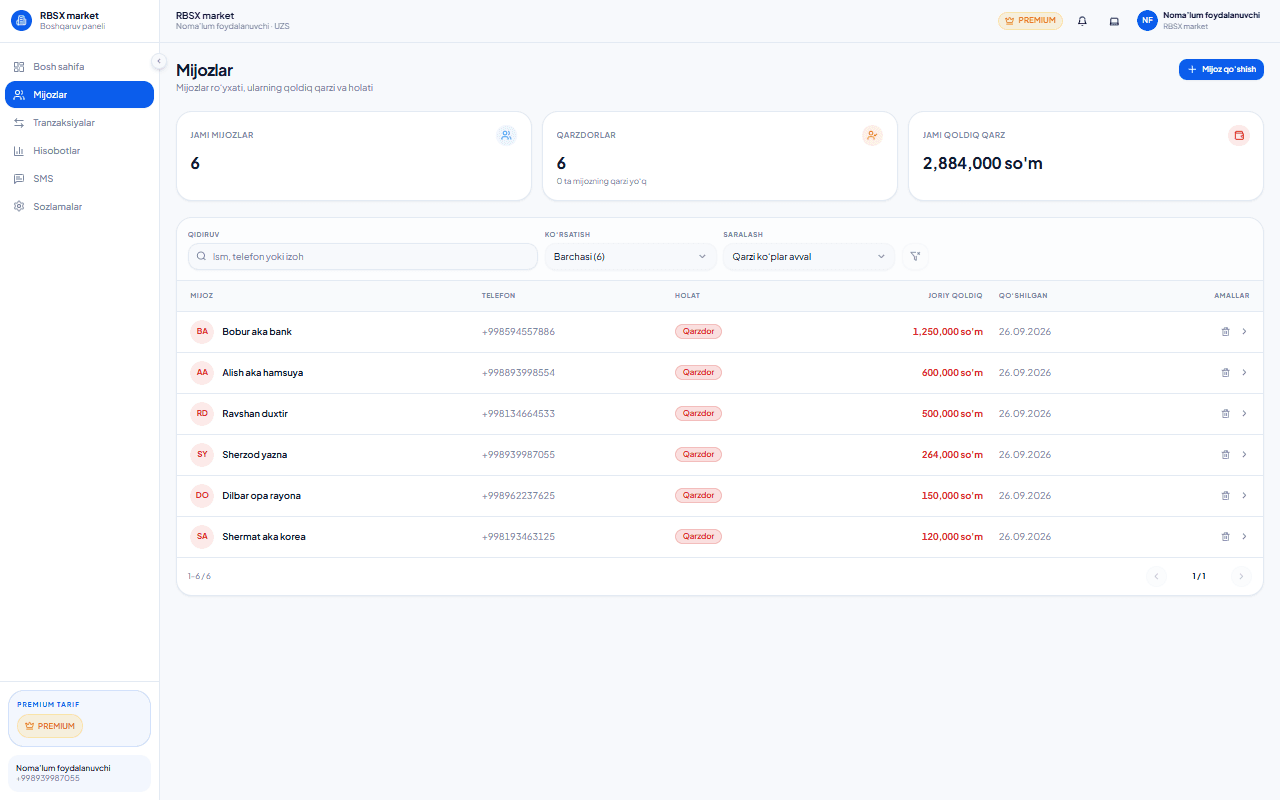
Qarz Daftar web version: customer list, number of debtors and total outstanding in the browser
The same customer list in the mobile app

Web version

Works on your computer too — right in the browser

Qarz Daftar isn’t just a mobile app. Sign in on a computer and you’ll see the same customers, the same debts and the same reports — just on a bigger screen.

  • Nothing to install

    Open it in a browser and get to work — on a computer, laptop or tablet.

  • One account, one ledger

    A debt you record on your phone shows up on your computer too: same customers, same books.

  • No password needed

    We text a code to your phone number. If the number is new, an account is created automatically.

Both buttons open qarzdaftarclient.rbsx.uz — sign-in and sign-up happen on the same page.

Who it’s for

For every business that sells on credit

Wherever customers say “I’ll pay you later”, Qarz Daftar belongs.

  • Grocery stores and mini-markets

    Neighbours buy on credit every day. Keep track of who took what without mix-ups.

  • Market traders and wholesalers

    Large amounts paid back in instalments — every payment dated.

  • Building materials, auto parts, clothing

    Regular customers’ balances at a glance. Send late payers an SMS reminder.

  • Entrepreneurs, tradespeople and workshops

    Record what’s owed for work or goods, so nothing is forgotten until it’s paid.

How it works

Three steps to a ledger on your phone

Nothing to learn — it makes sense from day one.

Download the app
  1. 1

    Sign in

    With your phone number, Google or Apple — in a minute.

  2. 2

    Add your shop

    Just give it a name. Address and notes are optional.

  3. 3

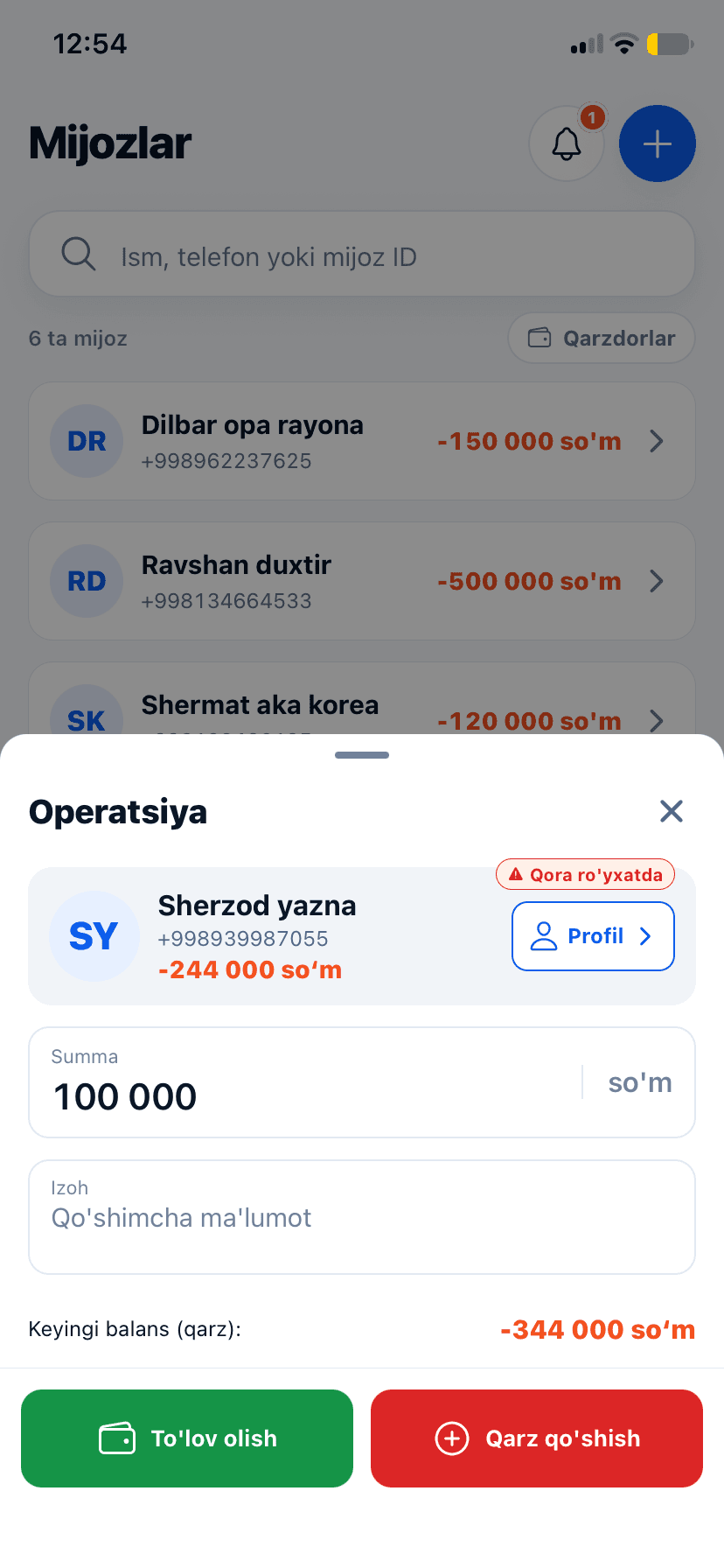
    Record a debt or payment

    Pick a customer, enter the amount — the balance updates itself.

Pricing

Start free. Upgrade when you need to.

Choose a plan inside the app and pay with Payme.

Free

Get started with the essentials.

0UZS

Start free
  • Debt and payment tracking
  • Customer list
  • Reports and Excel export
  • PIN and biometric lock
  • Telegram bot — not included in this plan
  • Blacklist — not included in this plan
  • Automatic SMS — not included in this plan

Standard

More tools for everyday work.

29,900UZS / 30 days

Activate in the app
  • Everything in Free
  • Higher monthly SMS limit
  • More shops
  • Telegram bot
  • Blacklist
  • Automatic SMS — not included in this plan

Recommended

Premium

Everything in Standard, plus automatic SMS and 24/7 support.

49,900UZS / 30 days

Activate in the app
  • Everything in Standard
  • The largest monthly SMS limit
  • Automatic SMS after every debt and payment
  • 24/7 support

Exact SMS and shop limits for each plan are shown in the app under “Tariflar va limitlar” (Plans and limits). If you run out of monthly SMS, you can buy an extra SMS pack.

FAQ

Frequently asked questions

Can’t find an answer? Message us on Telegram and we’ll reply ourselves.

Contact the admin
Is Qarz Daftar free?

Yes. Downloading the app and using the free plan costs nothing. If you need more SMS, the Telegram bot and the blacklist, switch to Standard (29,900 UZS) or Premium (49,900 UZS) — each for 30 days.

If I lose or change my phone, will I lose my debts?

No. Your data is kept in your account, not on the phone. Sign in on your new phone and all your customers and debts will be there.

Does the app work offline?

No, you need an internet connection to record a debt or a payment. In return, your data is always saved to your account and visible from any device.

Can I move old debts over from my paper notebook?

Yes. When you add a customer, enter the opening balance and its date — the books continue from that amount.

How do SMS reminders work?

In the SMS section you pick debtors and send a message to one of them or to all at once. The monthly SMS limit depends on your plan; if it runs out, you can buy an extra SMS pack. On Premium, customers automatically get an SMS after every debt or payment.

What is the blacklist?

Debtors who are later than the limit you set are added to the blacklist automatically. If a customer is blacklisted by other shops, you’ll see a warning on their page — before you sell to them on credit.

I have several shops. Can I manage all of them?

Yes. One account can have several shops, each with its own customers and books. The number of shops depends on your plan.

How do I pay for a plan?

Choose a plan or an SMS pack in the app; the payment is made on Payme’s secure page.

Can I use it on a computer?

Yes. Qarz Daftar has a web version: open qarzdaftarclient.rbsx.uz in your browser and sign in with your phone number. It’s the same account — the customers and debts from your phone are there too, and there’s nothing to install.

Which devices does it work on?

It installs from Google Play on Android phones and from the App Store on iPhone, and runs in the browser on a computer. The app is available in Uzbek and Russian.

Get your credit sales in order today

Download the app, add your shop and record your first debt in a minute. It’s free to start.

Working on a computer? Sign in or create an account in the web version